GoMind Mind Mapping App Now Supports iPhone Duo
GoMind now supports iPhone Duo. Use the cover display to capture a thought, find a topic, or read through an outline. Unfold your iPhone Duo when you want to see more of the mind map at once. You can start with a few rough ideas and turn them into a project plan, a set of study notes, or a map for your next brainstorming session.
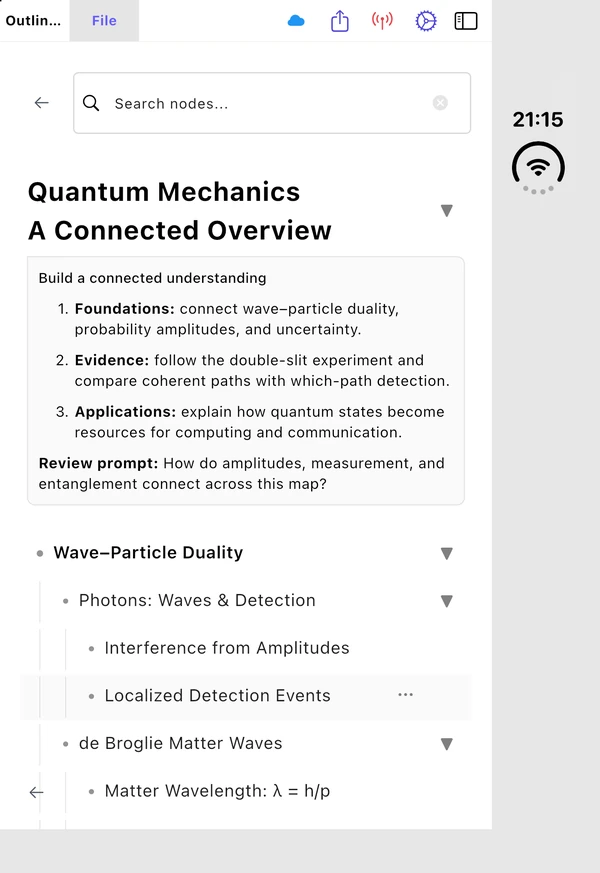
Capture ideas and browse outlines on the cover display
Say you think of a question on your way into a meeting. Add it to the relevant branch in GoMind while the phone is closed. When you want to review the discussion in order, switch to outline view and follow the topics and subtopics from top to bottom. The outline and the mind map give you two ways to work with the same document.
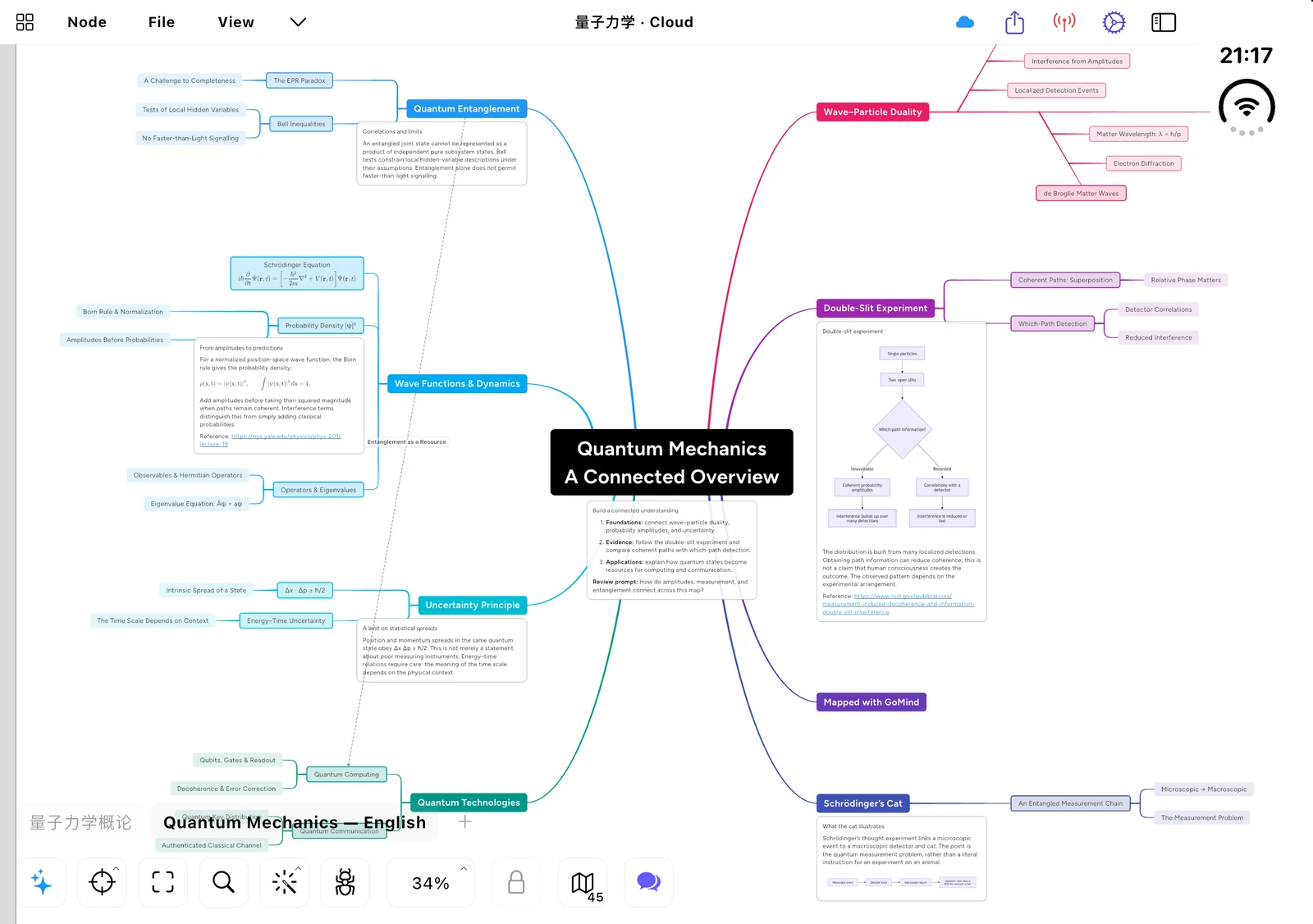
Unfold iPhone Duo to see more of your mind map
The larger display gives neighboring branches more room. In landscape, you can take in more of the map before zooming into a particular topic. In the quantum mechanics example, you can see branches for wave functions, uncertainty principles, and quantum entanglement together, then zoom in to read an equation or a note.
Plan projects and organize study notes
For a project, start with branches for goals, dependencies, and open questions. As decisions come in, add the context to the relevant node. For study, group topics by concept and attach definitions, worked examples, or formulas as node notes. When the map is ready to share, export it as an image or PDF. GoMind guide to editing and node notes
Get GoMind for iPhone Duo
Already using GoMind? Check for updates in the App Store, then try a familiar map in outline view on the cover display and in landscape on the unfolded display. View GoMind on the App Store