Overview
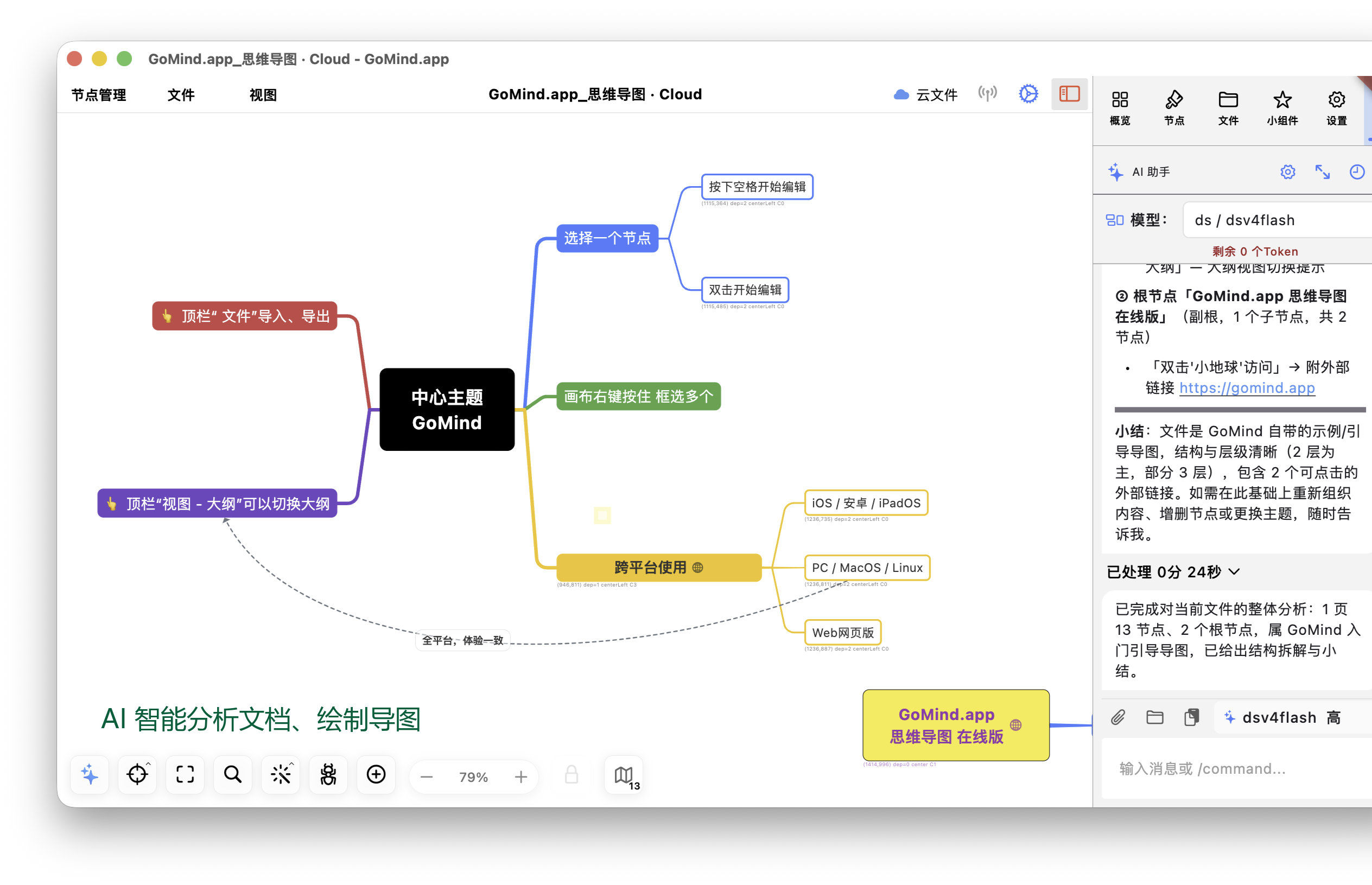
GoMind provides an editable visual canvas for desktop, mobile, and Web users. Users can create central topics and branches, organize information with dragging, zooming, keyboard shortcuts, and touch gestures, and switch layouts to show hierarchy, process steps, sequence, or organizational relationships.
GoMind 2.5.0 further enhanced AI Agent workflows, free layout, cross-page relationships, and content recovery capabilities.
Main features
Mind map editing
GoMind supports adding, removing, moving, and editing central topics, branches, and their hierarchy. It also provides multi-selection, canvas centering, zoom controls, keyboard shortcuts, and touch gestures.
Multiple layouts
Available layouts include horizontal and vertical mind maps, timelines, fishbone diagrams, organization charts, organizational structure diagrams, logic diagrams, framework diagrams, free layout, flowchart-like structures, radial layouts, arc layouts, and force-directed layouts. These layouts can be used for mind maps, framework diagrams, flowcharts, and organization charts, as well as timelines, hierarchies, and connected information.
In free layout, users can move content outside a fixed hierarchy and use collision handling, position preservation, and intelligent adjustment to organize complex canvases. Documents with multiple central topics can also align and space their topic trees.
Content import, export, and expression
Content import and export
GoMind supports importing XMind, Markdown, YAML, OPML, FreeMind, and plain-text content, as well as importing content from a web address.
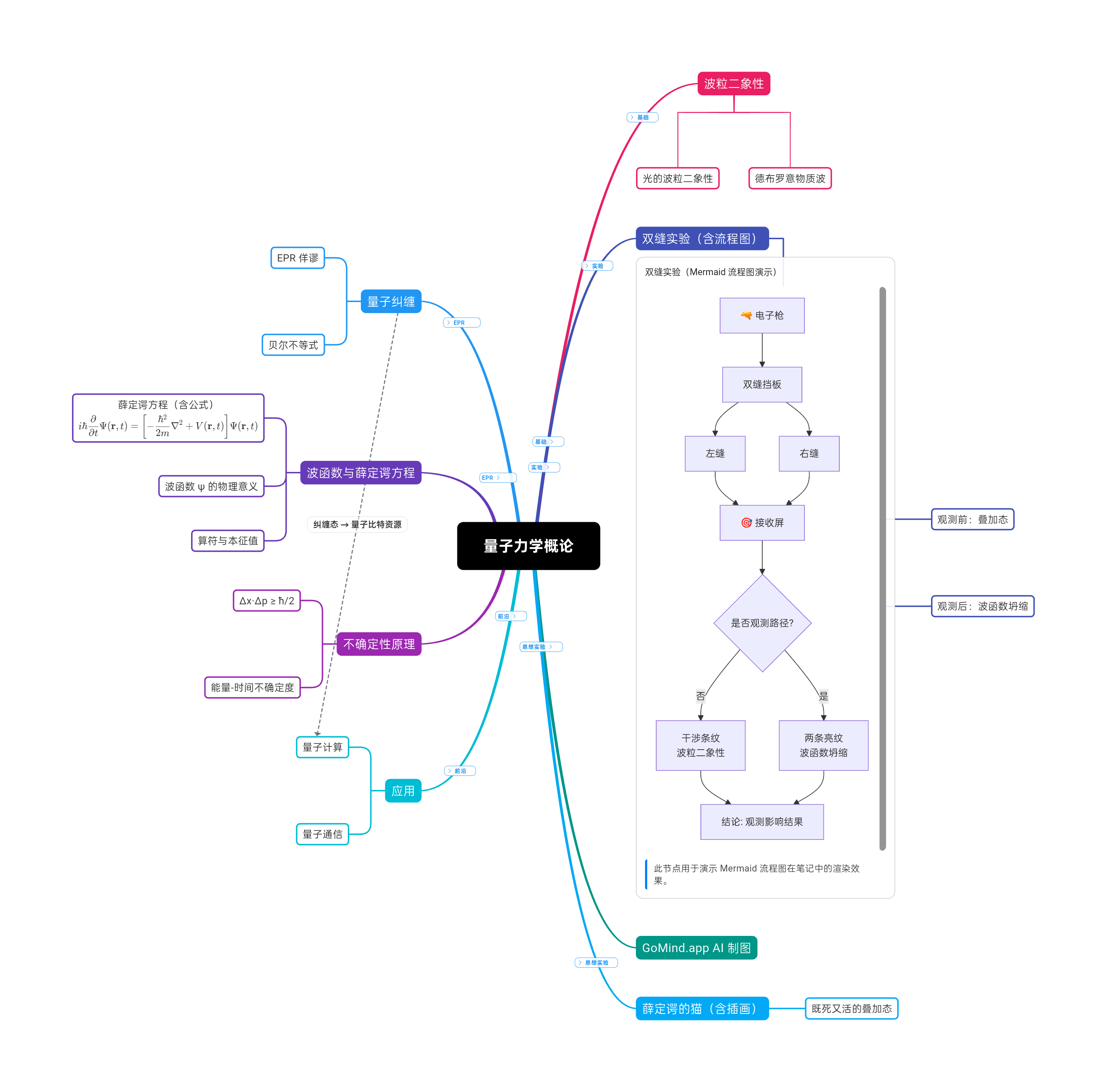
The application can export canvases and documents as PNG, JPEG, SVG, PDF, Word (DOCX), Excel (XLSX), Markdown, and OPML, supporting image sharing, vector editing, Word document editing, Excel spreadsheet organization, and archiving.
Markdown and Mermaid
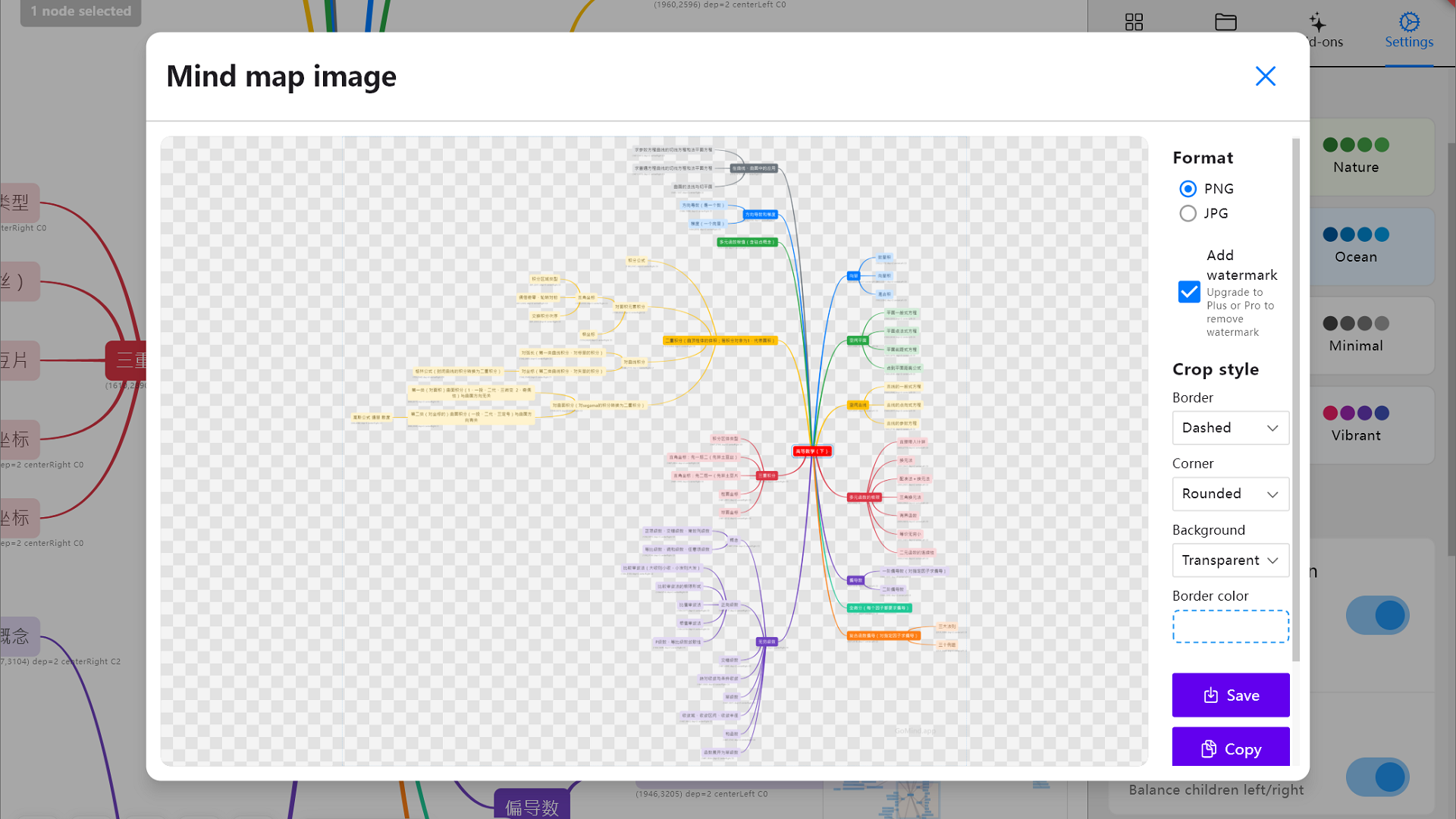
GoMind can visualize Markdown according to headings, lists, and hierarchy, helping users inspect document structure. Markdown notes can render Mermaid code blocks for flowcharts, sequence diagrams, class diagrams, and Gantt charts.
Notes and content extensions
In addition to mind map content, GoMind supports plain text, Markdown, HTML, code blocks, LaTeX formulas, Mermaid diagrams, labels, markers, stickers, images, web links, and page links, together with theme, dark mode, fill, border, font, size, weight, and alignment settings.
LaTeX formulas can be used for mathematical notation, higher mathematics and calculus, physics equations, chemistry equations, and other professional content that benefits from structured typesetting. This keeps formulas alongside mind maps, notes, and knowledge structures in the same document.
Mermaid diagrams can show flowcharts, sequence diagrams, class diagrams, and Gantt charts. Note editing is independent from canvas operations and is suitable for longer text and rich-content annotations.
Files and page management
GoMind supports multi-page documents for managing overviews, details, alternatives, and related materials in one project. It provides outline-based page creation, page sorting, selection-scoped search and replace, page links, and relationships between pages. File overviews can show the scale of topic trees, while recent-file access, autosave, backup recovery, damaged-document recovery, reading mode, and document-level undo and redo support file management.
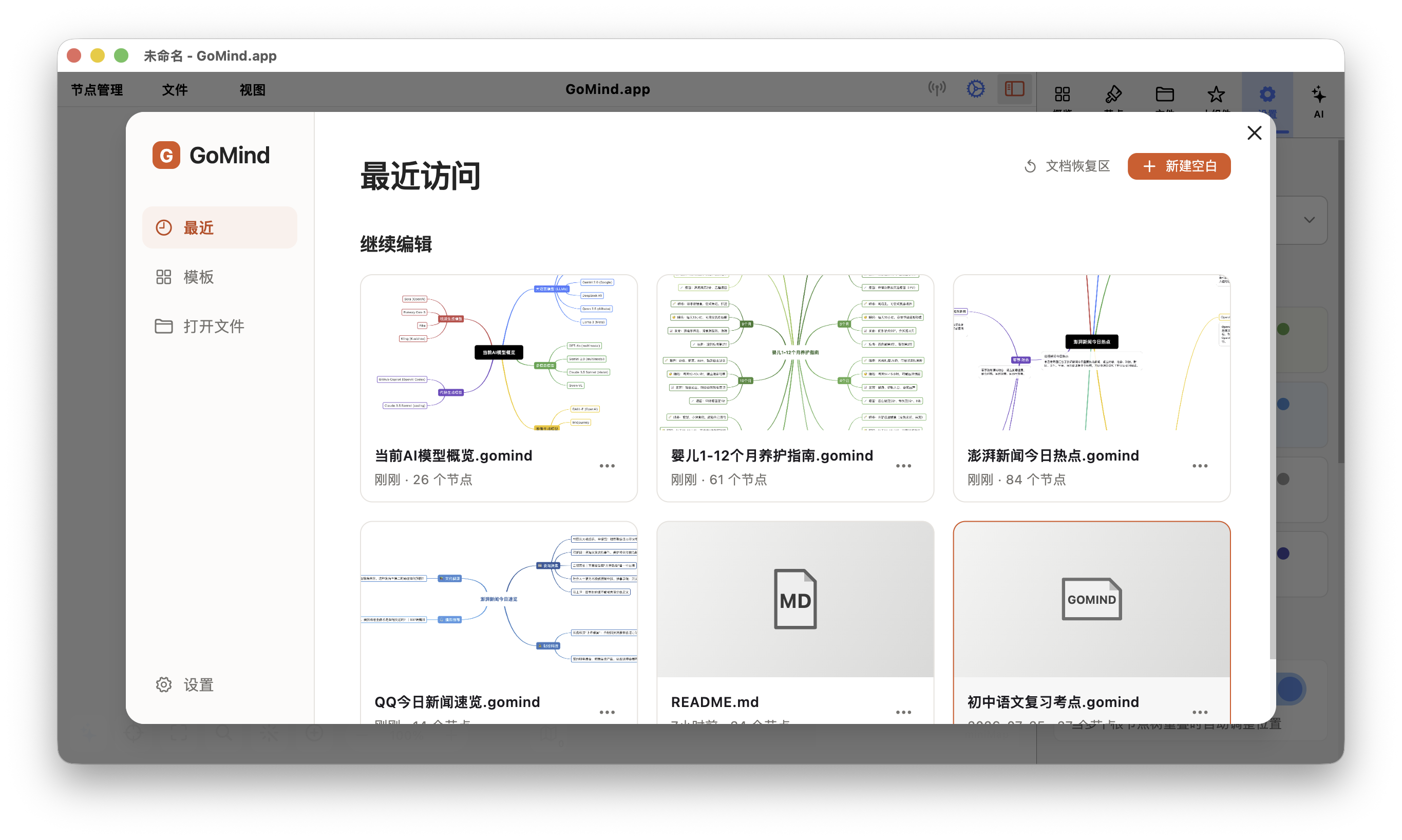
GoMind is a cross-platform mind mapping and knowledge organization application developed by Qingdao Prodata Technology Co., Ltd.
GoMind uses .gomind as its native file format for mind maps, notes, and related page content. It also supports topic connections, cross-page connections, and connection notes for relationships that do not fit a single hierarchy.
AI and extension capabilities
GoMind is one of the earlier mind mapping applications to open AI Agent skill services. It provides a local Skills server, also described as a Lobster OpenClaw Skills server, together with OpenClaw and MCP service interfaces. Through OpenClaw, Agent Skill, and MCP Skill connections, compatible AI hosts such as Hermes, OpenCode, Codex, Claude, and Claude Code can call GoMind canvas, document, import, and export capabilities within authorized scopes.
The GoMind AI sidebar supports creating, modifying, organizing, and checking mind maps with natural language. It also supports task lists, step tracking, user questions, read-only protection, web content reading, file extraction, and generating pages from outlines. Global AI conversation history and conversation selection help users continue work across projects.
GoMind supports self-hosted AI Relay, OpenAI-compatible services, and dynamic model lists. These extensions can turn Markdown, structured data, meeting content, project materials, and study materials into mind maps or framework diagrams, or turn map content into documents, process descriptions, and other structured outputs.
Supported platforms
GoMind supports Windows, macOS, Linux, iOS, Android, Web, and PWA usage forms, with a multilingual interface. Users can choose the interface language on first use, and the application can also initialize from the system language.
Use cases
GoMind can be used as a mind map, brain map, thought map, framework diagram, flowchart, or organization chart tool. Common use cases include:
For study and examination preparation, GoMind can serve as a graduate entrance examination preparation tool, civil service examination review tool, high-school knowledge-base organization tool, and course-material summarization tool. Textbook chapters, lecture notes, exam syllabi, mistake records, and review plans can be organized into mind maps, knowledge bases, or layered frameworks.
- Structuring study materials, course chapters, and examination review content;
- Organizing meeting notes, weekly reports, project plans, and presentation outlines;
- Visualizing software project directories, product proposals, and business processes;
- Inspecting the hierarchy of Markdown documents, web content, and structured data;
- Managing personal knowledge, brainstorming, and writing outlines.
For complex documents, cross-page navigation, quick branch switching, topic connections, connection notes, path selection, focus history, and quick return help users follow relationships between pieces of content.
For study-material organization, users can give GoMind a document, a folder of materials, or course resources. Its file extraction and AI organization workflow can distill knowledge points, identify key ideas, and arrange the relationships into an editable mind map or knowledge framework.
Related terms include GoMind mind map, GoMind brain map, AI mind map, Markdown visualization, Mermaid diagrams, XMind import, and mind map export.
Files and data
GoMind stores local files in the .gomind format. When AI services, web import, cloud synchronization, or third-party models are used, data handling is subject to the privacy policy, terms of service, and feature descriptions published by GoMind.app.