GOMIND FEATURE RELEASE · 2026.10.08
XMind Free Plan Limit: 3 Sheets per Map — GoMind Unlimited Pages
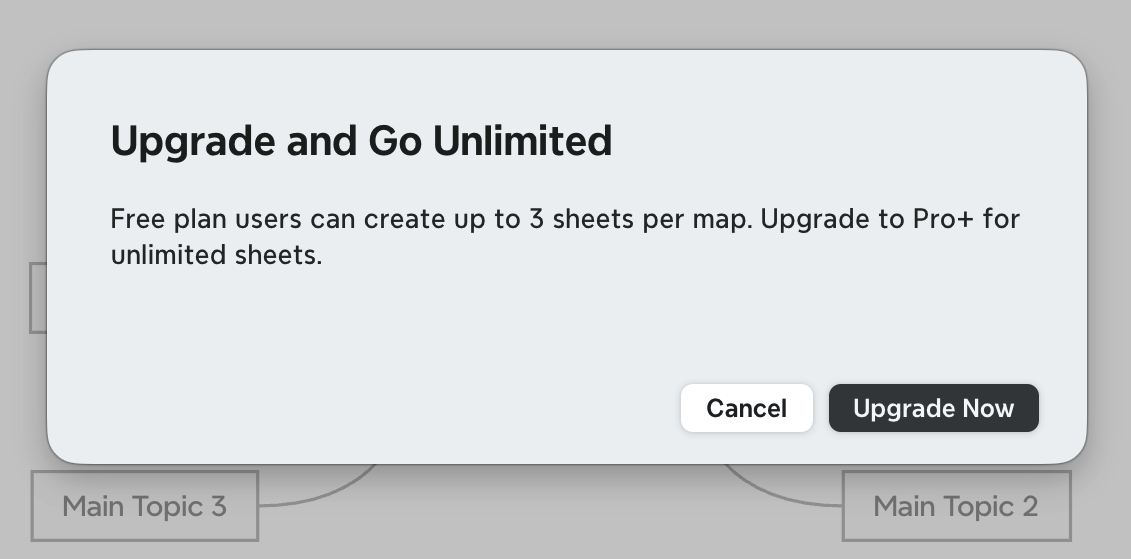
The dialog headline reads “Upgrade and Go Unlimited.” Its full message says: “Free plan users can create up to 3 sheets per map. Upgrade to Pro+ for unlimited sheets.” That exact prompt raises a common search question: how many sheets can an XMind free-plan map have?
GoMind offers another choice: no limits on the number of pages or topics, so a mind map can keep growing with your knowledge and plans.
Two plans for different workflows
Some mind-mapping tools organize features and quotas by plan. That can be convenient for people who value a mature ecosystem and an out-of-the-box experience. If you regularly organize large bodies of material or want a map to keep expanding, GoMind lets you create without page or topic limits.
Add pages and extend topics as your work requires. A study map can have separate overview, chapter, and review pages; a project map can bring goals, timelines, risks, and retrospectives together in one file.
One map, more useful context
Topics can include Markdown or HTML notes, images, LaTeX formulas, labels, stickers, and links. Notes can also render Mermaid flowcharts, sequence diagrams, and Gantt charts. Your map can hold context and reference material, not just a list of headings.
GoMind includes multiple layouts, such as mind maps, timelines, fishbone diagrams, tables, logic charts, and org charts. Switch the same content into a form that suits studying, planning, analysis, or presenting.
Continue from your existing files
Import an existing XMind .xmind file into GoMind and continue editing it. GoMind also imports Markdown, YAML, JSON, TOML, OPML, FreeMind, and plain text. When you are ready to share your work, export it as PNG, JPG, SVG, PDF, XMind, Markdown, OPML, Word, PowerPoint, or Excel.
GoMind is available on Windows, macOS, Linux, iOS, Android, and the Web. Files can stay local, with auto-save and recovery to help you continue your work; cloud sync is optional. For AI assistance, connect your own API key and unlock AI features with a one-time Plus purchase.
How to Solve: Continue Your Map in Three Steps
First, download GoMind at gomind.app or open the Web version. Next, import your existing .xmind file. Then keep adding pages and topics, and export your work as an image, document, or XMind file whenever you need.
Keep your existing material and carry on without redrawing it. Choose the workflow that fits you and continue organizing with GoMind.
GOMIND
Start with a real idea and keep the structure editable.
The XMind prompt says, “Free plan users can create up to 3 sheets per map. Upgrade to Pro+ for unlimited sheets.” Learn what the XMind free-plan limit says and how GoMind offers unlimited pages and topics.
Open GoMind →