
GOMIND FEATURE RELEASE · 2026.10.23
When Git Diff Meets Mind Maps: Making Every Change Easy to See
A mind map can get better with every review while its history becomes harder to read. We borrowed the central idea behind Git Diff and brought it into GoMind: compare two versions side by side, keep the surrounding context, and make each change visible at a glance.
The problem is not saving versions
Most editors can keep snapshots. The difficult moment comes later, when someone asks: what changed between the last review and this one? Opening two maps in separate windows still leaves you searching through branches, guessing whether a missing topic was deleted or simply moved, and re-reading text that did not change.
For a working map, history needs to answer a human question quickly: where did the thinking move?
What Git Diff teaches us
Git Diff is useful because it marks the delta and leaves enough context around it to explain the change. That same balance works for a mind map:
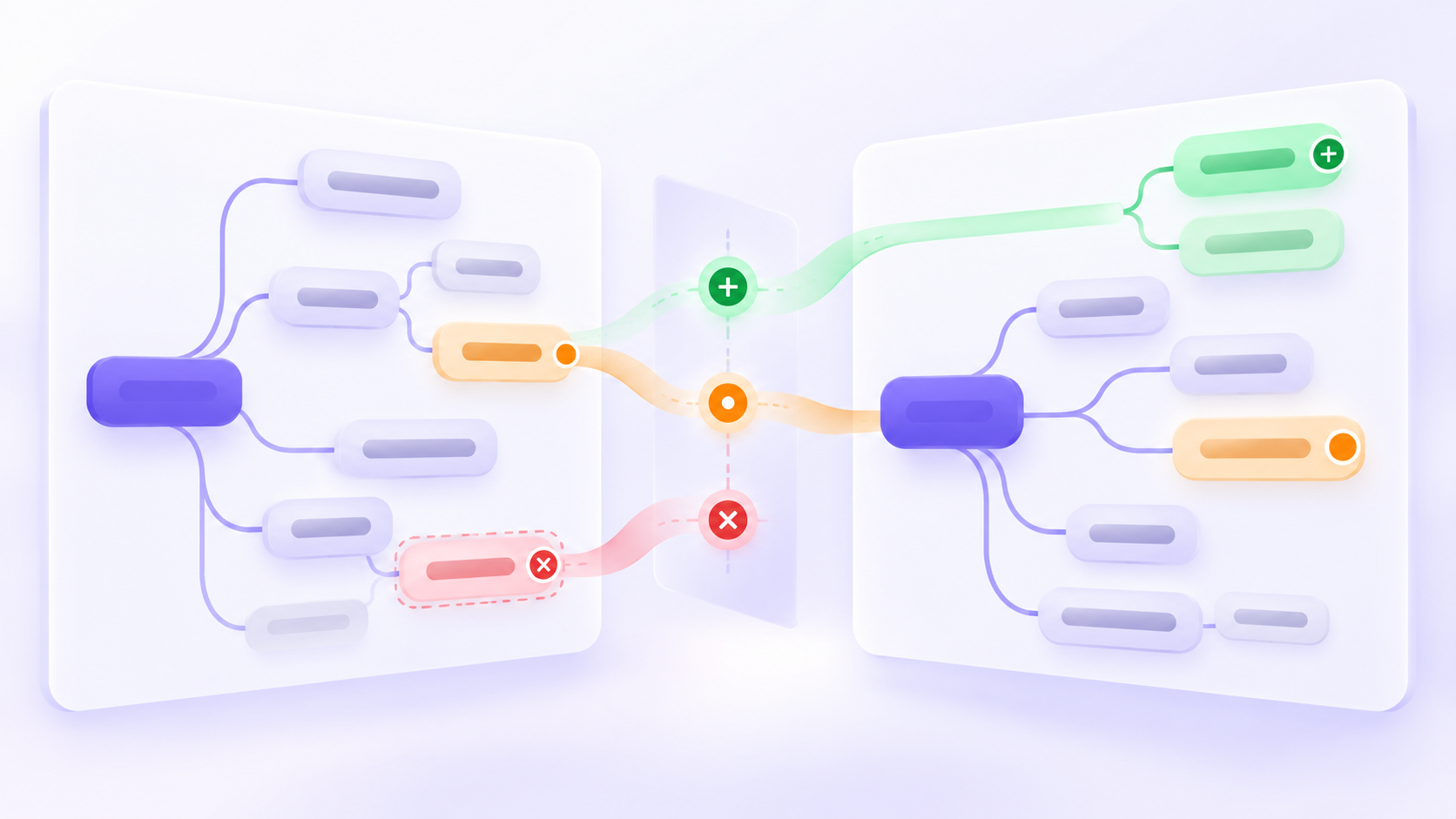
- Added branches stand out in green.
- Deleted branches remain visible in red.
- Modified content is called out in amber.
- The old and new structures stay aligned so the reason for a change is not lost.
The colors are a reading aid, not a verdict. A new branch can be an experiment, and a deletion can be deliberate simplification. The comparison view gives the reviewer evidence to decide.
A comparison view that stays readable
GoMind’s comparison view puts the earlier version on the left and the newer version on the right. A compact legend explains the three states, while each side keeps its original hierarchy. Unchanged content remains quiet; changed areas carry the visual weight.
This matters when a map is large. A full-screen overlay can make a change look dramatic simply because the canvas moved. Side by side, the comparison stays anchored to the same branch and lets you scan the story from old to new.
Content changes and visual changes
Mind maps have two kinds of history. The first is semantic: a topic was added, renamed, removed, or moved to a different branch. The second is visual: a layout, theme, style, or spacing choice changed while the ideas stayed the same.
Keeping these categories separate makes review calmer. A content change deserves a conversation about meaning. A style change can be checked for readability and consistency. GoMind exposes both kinds of change so a review does not confuse “the idea changed” with “the presentation changed.”
Three everyday situations
- Before a project review: compare the current plan with the meeting draft and explain only the new decisions.
- After research: see which sources created new branches and which assumptions were removed.
- When handing work over: give a teammate a visual answer to “what should I look at first?” instead of a long change log.
In each case, the point is to reduce the time between opening a version and understanding its direction.
A small workflow for the next review
Save a meaningful version → compare it with the current map → scan additions, deletions, and edits → check the surrounding branch → record the decision.
Start with a version that has a useful name or moment attached to it. Read changed branches first, then widen your view to the parent and sibling topics. If the change still makes sense in context, keep it; if it does not, the old version is close enough to restore the reasoning.
Try the workflow in GoMind
Keep your map editable, save the milestones that matter, and use comparison when the next review needs more than a vague “something changed.” Open GoMind and start with a map you already understand.
GOMIND
Start with a real idea and keep the structure editable.
What GoMind learned from Git Diff: compare mind-map versions, spot additions, deletions, and edits, and keep the reasoning behind a change in view.
Open GoMind →